MT Manager APK
MT Manager Application is a flexible tool which allows users to handle files, edit APK files and also many other useful features.
MT Manager
MT Manager is a full featured file manager and APK editor for your iOS and Android device. We see that mostly Android users get into it as a result of the fact that their basic file systems don’t provide in-depth browsing tools. Also, users have the ability to open up, edit, and rebuild MT Manager Vip APK files right on their device. From changing text to modifying resources, and looking through app code, this tool does it all. aWe have included both simple and advanced features that we present in a very easy going manner for first time users also.
From changing an app’s interface to modifying system files we’ve got you covered, that is what is making it a community favorite in the Android world. MT Manager has a set of tools which give users a great experience and easy use. Moreover, for instance we have DEX and XML editing, Binary hex editor, File copy, move, rename and delete, ZIP and RAR as well as other archive types support. Also, access to the Root directory for permission changes.
What is MT Manager APK?
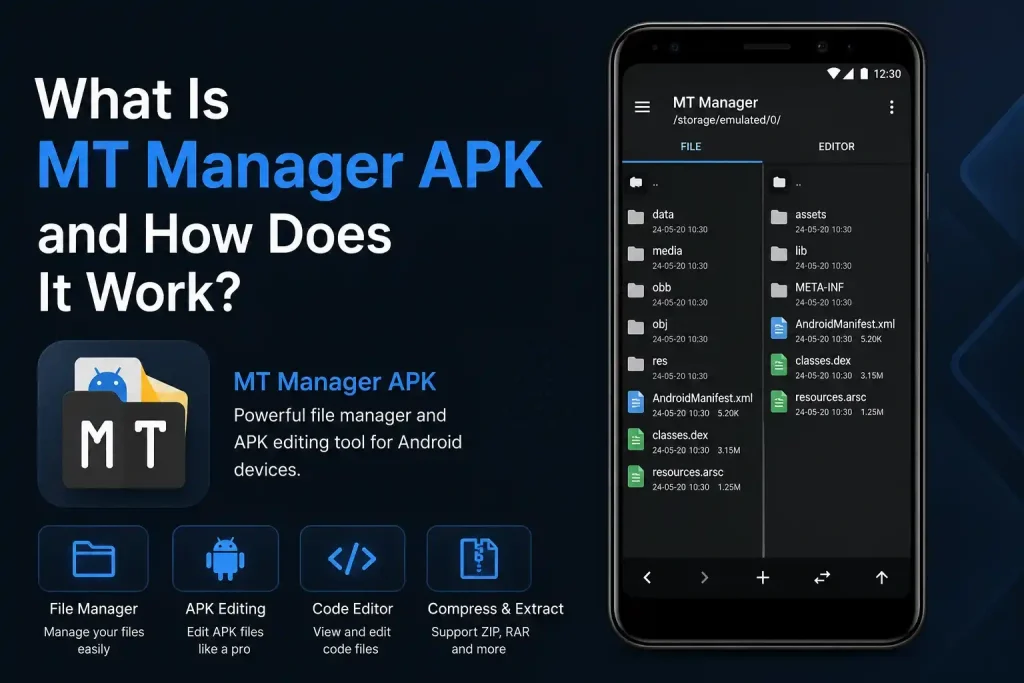
MT Manager is a file manager and APK editor for Android which also gives developers, modders and translators a full in device workflow. MT Manager Mod APK browse storage, extract and edit ZIP/RAR archives and modify app builds right from the phone without the need to go to a desktop.
While most basic features are available without root which is great advanced actions like access to system directories and partition remounts read and write require root. Also, we see a dual pane layout which puts source and destination folders at your mobile for quick copy, move and rename.
Key Features of MT Manager APK
MT Manager v2.19.4 is a file manager also which presents itself as a powerful toolkit for decompiling and recompiling APK files. Moreover, it offers file management and app customization. Also, for the modding community which includes those that tune system files. It brings to the platform flexibility and features that enhance your Android experience.
File Management
MT File App we took what APK editors can do to a new level. We have put together a full featured file manager which handles all kinds of files on your Android device. Also, you can perform easy copy, move, rename and delete tasks. Moreover, we included support for many file types which includes ZIP, RAR, and TAR archives which you may open right within the app.
APK Editing
Mt manager Pro excels at its core function of APK editing. We see in it the ability to decompile MT Manager APK Files Editor, edit what is contained within them. Moreover, play around with XML and Java files, and then recompile them into a ready made app also. Also, it is a developer’s dream to put your own spin on a stock app or to do away with specific constraints in a product.
Text Editor
Mt File 2026 includes a text editor in its package which supports many programming languages. Also, for what you are after which is to replace an XML file, to change config settings, or to fix up some JavaScript code the text editor does that. It also provides syntax highlighting and a very user friendly interface for ease of use.
Root Access
For our in depth users we present the newest version of MT Manager Latest Mod with root access included. Also, it now features to change your system files at will. Moreover, we find out that what this does is present a large scale level of customization to the user. The ability to change the Android system settings, and access which is usually closed off parts of the device.
Archive Management
Fed up with using separate apps for ZIP, RAR, and TAR files? MT File Original APK has what you need. Also, I found that they put it all at your fingertips. Extract, compress and manage archive files with the ease you’ve been wanting. Also, large game files or backup folders are concerned the mt file Manager mod does it very well. It almost works like a pro.
Hex Editor
In release 2.26.4 of MT we introduce the Hex Editor for developers which is a part of the product. Also, we have put in this tool which allows you to change binary files around. Moreover, it in turn changes in app values and also edits out of the question system settings. Also, it may not be the best feature to start off with but is a must have for professionals that require in depth file modification.
Plugin Support
In our last update we added plugins that at the same time allow you to expand what you can do with the product. Also, we have included MT File Manager Tools, cloud sync, advanced file management. Also, a host of other plugins which in turn make it very easy to customize.
Scripting
We also have a feature in the Mt Download Manager which is script writing support. This includes the ability to write your own scripts, to automate repeat and which in turn see an increase in productivity. Also, we see this feature as very useful for developers that require to do large scale changes.
Media Playback
The app includes basic media player functionality. In the file manager we have added playback of audio and video. This in turn removes the need for a separate media app.
Cloud Integration
We note that it has cloud based backup in our advanced versions. Also, see that users are able to save out projects at any time. MT Manager APK Latest Version in turn is a protection against loss of data from mistakes or device failure.
How to install MT Manager APK on Android?
Download and Install MT Manager on PC.
We have developed a product for Android which does not support Windows or Mac OS. Here is what you do to get it going:
Download an Emulator
It is Bluestacks and LDPlayer which are the Android emulators.
Install the Emulator
Once you have what you need go to the emulator and open the app which will then walk you through it.
Download MT Manager APK
At the best of APK sites you’ll find the latest version of the app. Once you get it out for use it is for PC.
Install MT Manager on Emulator
Open up the emulator and MT Manager APK for PC. Click to install and be patient for a few minutes.
How to Use MT Managers APK?
It’s very simple to use which is why we have put together this full guide on how to use the app.
Alternatives to MT Manager
Not all of our users will agree but that is fine we do also have many other options which you may like instead. We at the moment are putting forth three that we very much stand by.
APKTool
APKTool is a well known Android reverse engineering tool. Also, it does very in depth decompiling and recompiling of APK files. Developers use it for modifying app resources, fixing issues out, and debugging code. At the same time APKTool has a steep learning curve and some technical requirements.
ZArchiver
ZArchiver is a basic file manager which for the most part does file compression and extraction. Although it does not have in-depth APK editing features it does very well with ZIP, RAR, and 7z formats. Also, many people use ZArchiver in conjunction with MT Manager APK 2026 for their archive needs before or after they edit APKS.
NP Manager
A very effective free APK editor which has a very similar set of features to that of MT Manager. Also, it does a great job with DEX files, ARSC issues and app signing.
MiXplorer
The fact is that which is well known in a double pane file supervisor. Although it does not feature the in depth DEX enhancement which came with MT Manager Old Version it does have excellent archives. It deals with root gain access to and also very reliable text-editing utilities.
How to Edit and Recompile APKs in MT Manager?
Benefits of Using MT Manager
Here is what our MT Manager Application which provides:
Advanced File Management:
Easily move around, organize, and control your files in a very user friendly environment which also includes both basic and advanced tools.
APK Editing:
Modify access to your APK files right on the device which they are present in. Also, we saw very similar results with this in a wide range of apps.
Multi-Window Support:
Works best for a single interface which in terms of large sets of files and which also makes MT Manager Mod APK easy to copy, move or delete large groups of data.
Enhanced Security:
Protect your private data with our encryption and decryption tools.
Lightweight & Fast:
Although it has a wide range of features Mt Manager File does that very well and doesn’t slow your phone down. Also, at all which also means there is very little bloat.
Is MT Manager Safe?
MT Manager is a legitimate tool, but safety is at the discretion of the source. In the case of modified (VIP/Mod) versions which go around Android’s signature. Check to open up premium content. Also, it is the method which in turn switches off the role of Google Play Protect to see if the file has been changed from what is reported.
Further, this is not exclusive to MT Manager Official Website which is to say it is an issue with any modded APK. The best and safest version is always the official release from Google Play or the developer’s own site.
MT Manager Problems and Solutions
Application Runs Slowly
Restart which is a solution to transient issues that in turn see better performance. Also, exit out of apps you aren’t using. It will in turn free up more memory for better performance.
Files Cannot Be Found.
Check that your storage location is correct first of all then use the MT Manager Online in built search which in turn will help you to find what you are looking for faster across many folders.
Archive Will Not Open
Before you extract the file see to it that the archive is complete and in good condition. Also, note that a faulty download may not open in any application.
Pros and Cons
Pros
- Powerful APK editing file
- Built-in text editor
- Root access for advanced users
- Various editing tools
- Manage the device and easily file
- Built-in Hex editor
- Text editing abilities
Cons
- Copyright issue
- Lead to app crashes and lags
- The advanced feature requires technical knowledge
- Associate with security risks
Conclusion
MT Manager APK for Android is a requirement for all Android users that want in on advanced file management and APK editing. Also, with its pro features which include free VIP account access for pros out there. Further, we’ve made it easy for you to get into the premium tools. Whether you are a dev, power user or just someone who wants to better organize what is in your device, this app does it all.
Get the MT Manager v2.26.7 APK Download today and see the full power of your Android device. If at some point you have tried to decompile APK files or you are in search of a good file manager for Android. Then, MT Manager is the application that does it all in a very nice and powerful package.
FAQs
Where do I get the MT Manager APK for Android?
Here is the link for the MT Manager APK which we present to you in its latest and secure version.
Do I have to be a root user for the ultimate MT Manager App?
No, for MT Manager root access is not required but it does enable. It in turn the use of advanced features such as editing system files and in depth app changes.
Do I have the option to get rid of ads in MT Manager?
Sure, to remove ads in MT Manager you can buy the VIP version which also includes premium features.
Is Mt Manager safe to download?
Yes, what you put in for MT file Manager is safe as long as you get it from a trusted source. We have also looked into the APK file made available here and can report that it is 100% safe.
Is your MT Manager app available on Google Play Store?
No, we do not have the MT Manager available on the Google Play Store. You may download it from our website.